How to record engine noise with your phone
Make a clearer engine sound recording: choose a safe position, reduce background noise, and note the conditions that help explain the sound.
Read the guideTurn the sound under your hood into a clearer next step. Record in AI Mechanic and explore an AI-generated analysis.

Available for Android

AI suggestions, not a vehicle inspection. See an example first
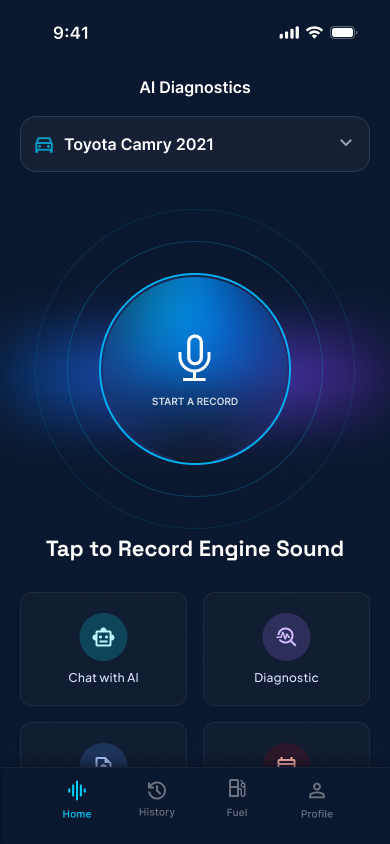
Start with the vehicle you want to understand. Keep the make, model and recording conditions in mind.
Use your phone’s microphone from a safe position. A clear sample gives the analysis better context.
Read the AI summary, explore its suggestions and prepare questions for a qualified mechanic.
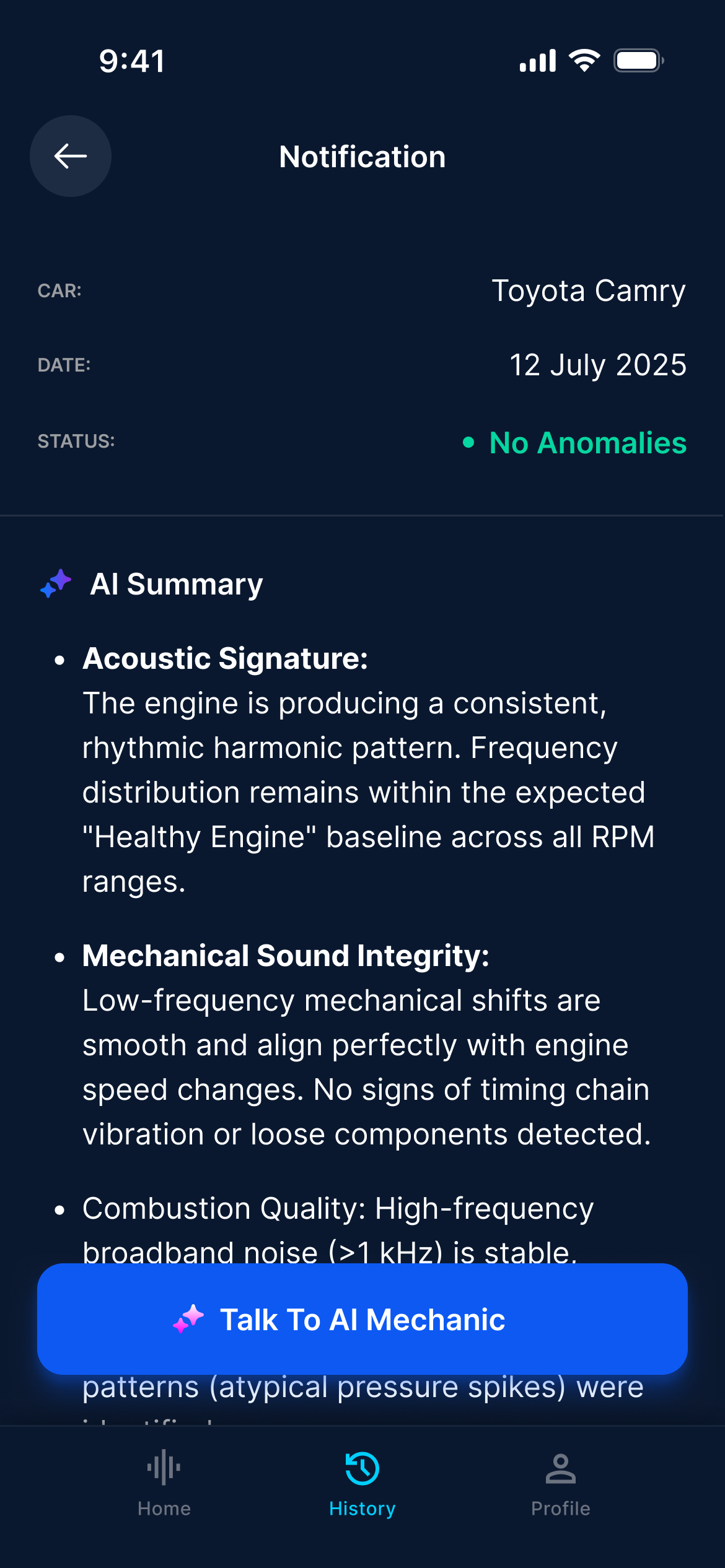
A real report screen from AI Mechanic. Vehicle details, a status and an AI explanation, together in one place.
Keep the analysis connected to the car you selected.
Review how the app interprets the sound, and what remains uncertain.
Use the explanation to start a more informed conversation.
“No Anomalies” describes this example’s AI output. It does not confirm that a vehicle is free of faults or safe to drive.
Capture a noise and review an AI interpretation. Your observations help explain when and how it occurs.
Sound does not replace an inspection or OBD readings. Persistent symptoms need an appropriate professional check.
Sound analysis vs OBD2Make a clearer engine sound recording: choose a safe position, reduce background noise, and note the conditions that help explain the sound.
Read the guideA ticking engine does not point to one cause. Learn why vehicle details, cold versus warm conditions and accompanying symptoms matter before replacing parts.
Read the guideUnderstand the distinction between rod-bearing concerns and lifter tick, why audio comparisons can mislead, and what information helps a mechanic investigate.
Read the guideThe app, the recording and what to expect.
Record your engine sound in the Android app. AI Mechanic uses the recording to generate an analysis you can review. The result is a suggestion based on limited input, not a confirmed mechanical diagnosis.
You do not need an OBD2 adapter to record sound. A microphone recording does not read ECU fault codes or measure oil pressure. A scan tool and a physical inspection provide different information.
Recording and analysis are available in the Android app. This website provides an example report and guides to help you prepare. It does not currently analyze uploaded recordings.
The download on this website is for Android through Google Play. There is no iPhone download offered here.
AI Mechanic offers paid subscriptions. A trial may be available with an eligible offer. Check the price, trial duration and renewal terms shown in the app before confirming. You can manage your subscription through Google Play.
No. It is the AI’s interpretation of the submitted recording, not a full inspection. A recording can miss faults. Follow your vehicle’s warning messages and seek professional help for persistent or concerning symptoms.