
What this example shows
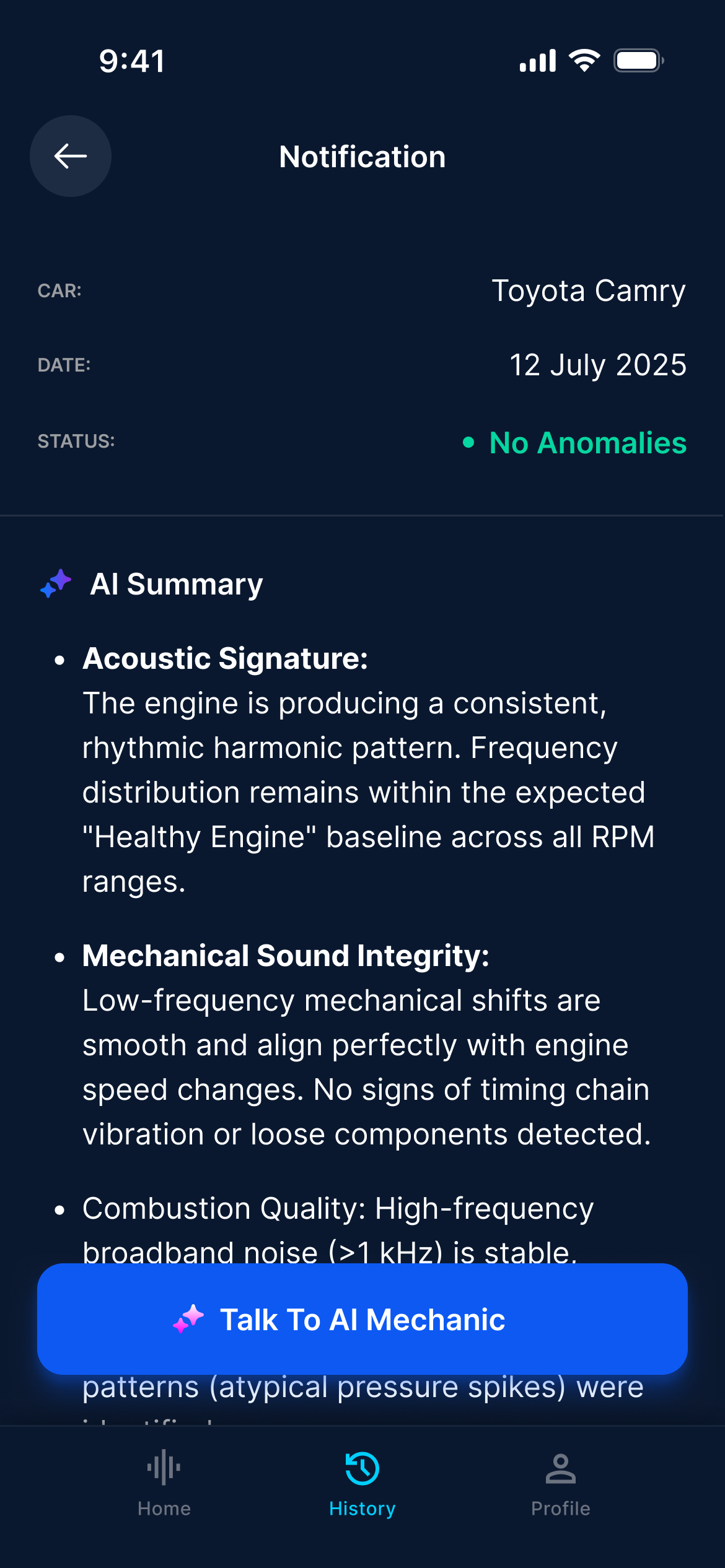
The app screenshot contains a vehicle name, a date, a status and a longer explanation of the sound. It is an interface example, not an independently verified inspection of this car.
The report groups its explanation under topics such as acoustic signature, mechanical sound integrity and combustion quality. These are AI-generated interpretations. The level of detail in the wording is not a measurement of how reliable the conclusion is.
What “No Anomalies” does—and does not—mean
Read this status as the app’s assessment of the submitted sample. A phone recording cannot rule out every mechanical fault, verify fluid levels or replace the checks needed to decide whether a car is roadworthy.
The example mentions a baseline across RPM ranges. A short recording at idle does not establish what happens at other speeds or loads. Treat conclusions that extend beyond the recording as unverified, and give more weight to symptoms you actually observe.
Read the report in three passes
- Check the context: is this the right vehicle and the right recording? Note whether the engine was cold, warm or at idle.
- Separate observation from suggestion: a repeated tapping sound is a description; naming a worn component is a hypothesis that needs checking.
- Look for a useful next question: what inspection would confirm or reject the suggestion, and what other causes should be considered?
Questions to ask after an analysis
The example includes a “Talk To AI Mechanic” action. Useful follow-up questions are specific about what is uncertain, rather than asking the app to guarantee an answer.
- Which parts of this explanation come directly from the recording?
- Could background noise or the recording position affect this result?
- What information should I give a mechanic to help investigate this symptom?
Make the next recording more useful
Keep the recording conditions consistent and note what changed. Comparing two clips made in very different locations or with different background noise can be misleading. Use the recording guide below to capture a clear sample without attempting risky tests.